A user who clicks a search result and sees a blank white page for several seconds usually goes back to Google and picks another company. Website speed therefore directly affects the number of enquiries and sales. Google has also taken it into account for years when assessing page quality, and measures it using a set of metrics called Core Web Vitals. In this article we explain what these metrics are, what most often slows down business websites and how to check for yourself whether your site needs improving.
Why does website speed matter?
Two points of view count. The first is the customer’s – especially on a phone with a weaker signal, every extra second of loading increases the chance they will give up. The second is Google’s, which wants to send users to pages that offer a good experience. Speed is not the only ranking factor – valuable content remains the most important – but when content quality is similar, it can tip the balance. Just as importantly, a fast site simply converts better: it is easier to find the phone number or fill in a form.
Core Web Vitals – three key metrics
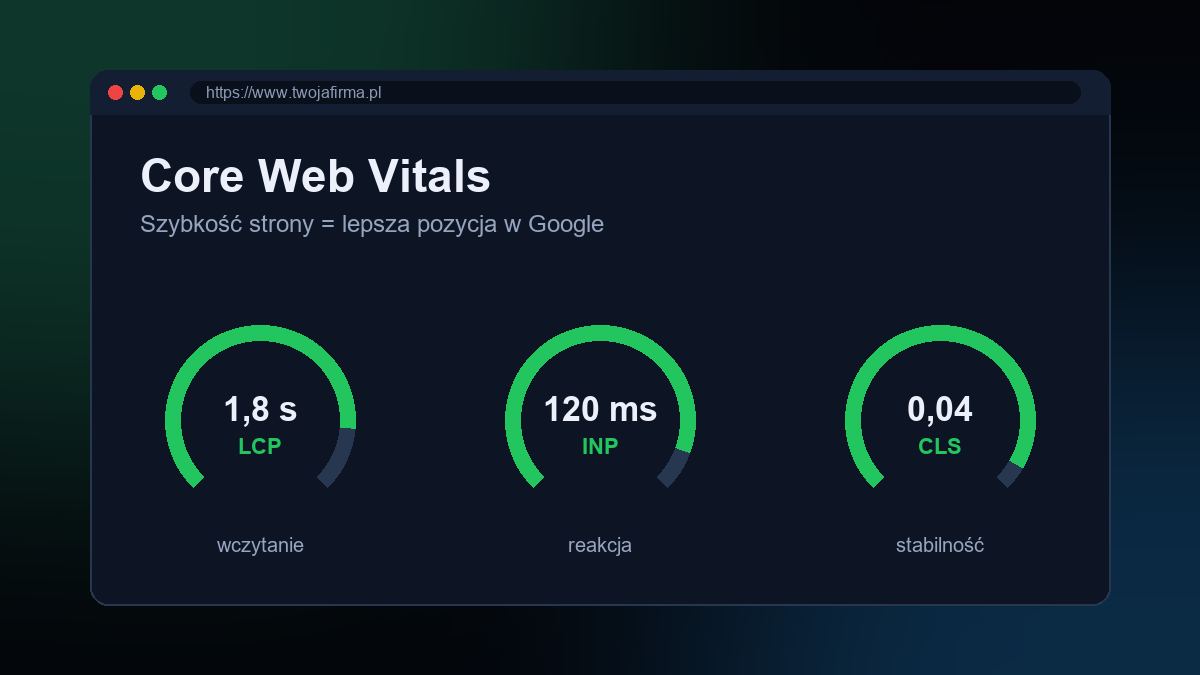
Core Web Vitals are a set of metrics describing how users experience the loading and responsiveness of a page. They currently consist of three metrics.
LCP – Largest Contentful Paint
LCP measures how long it takes for the largest visible element on the screen to appear – usually the main image, a banner or a large heading. Google considers a result under 2.5 seconds to be good. The most common causes of poor LCP are oversized images, a slow server and render-blocking scripts.
INP – Interaction to Next Paint
INP assesses how quickly a page responds to user actions: clicks, taps and typing. In March 2024 it replaced the earlier FID (First Input Delay) metric, which measured only the delay of the first interaction. INP takes into account interactions throughout the entire visit, so it better reflects the real experience. A good result is under 200 milliseconds. INP is affected above all by heavy JavaScript – bloated plugins, tracking scripts and visual effects.
CLS – Cumulative Layout Shift
CLS measures the stability of the page layout, i.e. whether elements “jump around” while loading. Everyone knows the situation where you want to click a button and at the last moment it moves down because a banner has appeared above it. A good CLS result is under 0.1. The usual causes are images without specified dimensions, late-loading ads, cookie banners inserted above the content and fonts that change the size of the text.
Image optimisation – the biggest and simplest gain
On many business websites, it is images that account for most of the data to be downloaded. A few rules that usually bring a clear improvement:
- Modern formats – WebP and AVIF offer much smaller file sizes than JPEG or PNG at comparable quality.
- Correct dimensions – there is no point sending an image several thousand pixels wide if it takes up a few hundred on screen. The srcset attribute lets the browser choose a version suited to the device.
- Specified width and height – this lets the browser reserve space for the image so the page layout does not shift.
- Lazy loading – images below the first screen load only when the user scrolls to them. Note: the main image at the top of the page should not be lazy-loaded, as this worsens LCP.
Caching, compression and tidy code
Another area is how the server delivers files. It is worth taking care of:
- compression of text files (HTML, CSS, JavaScript) using the Brotli or Gzip algorithm,
- browser caching – static files such as stylesheets, scripts and images can be stored locally, which makes subsequent visits much faster,
- server-side caching – in systems such as WordPress, ready-made pages can be served without generating them from scratch every time,
- limiting plugins and third-party scripts – every chat, widget or extra tracking code means more requests and more load,
- loading fonts in a sensible number of variants and with an appropriate display strategy.
Fewer heavy animations on phones
Eye-catching animations, background videos and elaborate sliders look good in a design presentation, but on an average smartphone they can significantly slow the site down and worsen INP. Good practice is to simplify effects on mobile, replace background video with a static image and drop sliders in favour of one strong photo with a clear message. It is also worth respecting the reduced-motion system setting that some users rely on.
Hosting – the foundation of a fast website
Even the best-optimised code will not help if the server responds slowly. When choosing hosting, pay attention to server location (for Polish customers, ideally in Poland or elsewhere in Europe), support for current PHP versions and the HTTP/2 or HTTP/3 protocol, an SSL certificate and SSD/NVMe drives. With higher traffic or visitors from different countries, a CDN can also help.
How to measure website speed?
PageSpeed Insights
A free Google tool available at pagespeed.web.dev. After you enter an address, it shows two kinds of data: data from real visits (provided the site has enough traffic) and a lab test with a list of specific recommendations. It is worth checking the mobile and desktop versions separately, as well as several different subpages, not just the home page.
Google Search Console
In the “Core Web Vitals” report, Search Console groups URLs with problems by type of issue, e.g. LCP too long on mobile devices. This makes it easy to see which page templates need improving. After making changes, you can request validation of the fix, and the report will update based on new data from the following weeks.
Remember that the score in a lab test is a pointer, not a goal in itself. What matters most is data from real visits and whether the site is convenient for your customers.
Fast websites at CSAFE
When designing websites, we focus on performance from the start: we optimise images, cut unnecessary scripts and test the site on phones. We also audit existing websites and implement improvements. You will find more information on our website design page, and examples of our work in our portfolio.
CSAFE operates in Bielsko-Biała and the surrounding area – including Żywiec, Kęty, Andrychów, Skoczów, Czechowice-Dziedzice, Pszczyna, Cieszyn and Oświęcim. We will check the speed of your website, identify what is slowing it down and prepare a plan to improve its Core Web Vitals. Quotes are free – call 505 298 048 or get in touch via the contact form.
Frequently asked questions
What Core Web Vitals values are considered good?
According to Google, a good result is LCP under 2.5 seconds, INP under 200 milliseconds and CLS under 0.1, measured for the majority of visits.
How does INP differ from FID?
FID measured only the delay of the first interaction, whereas INP assesses the page’s response to interactions throughout the whole visit. INP replaced FID in Core Web Vitals in March 2024.
Is a score of 100 in PageSpeed Insights necessary?
No. The lab score is a pointer; what matters more is meeting the Core Web Vitals thresholds in data from real visits, and user convenience.
Which image format should I choose for my website?
Ideally WebP or AVIF, which at similar quality are smaller than JPEG and PNG. Correct dimensions and lazy loading of images below the first screen are also important.