Building a house is a time when it is easy to focus on the foundations, roof and finishes and forget about something you cannot see later – structured cabling. Yet it is precisely the cables run in the walls before plastering that determine whether the house will have stable internet and well-functioning CCTV, alarm and video intercom systems. Structured cabling in a new house is worth planning together with the electrical installation, because once the plaster and screeds are laid, every change means chasing walls, surface trunking or compromises. Below we suggest what to include in the design.
Why does cable still beat Wi-Fi?
Wireless networks keep getting faster, but cable still offers what radio cannot guarantee: consistent bandwidth, no interference and low latency. A TV, games console, desktop computer or camera recorder works best when connected by cable. What is more, even modern Wi-Fi needs cabling – ceiling-mounted access points are best powered and connected by cable. A good wireless network therefore starts with a well-planned wired network.
Structured cabling in a new house – where to start?
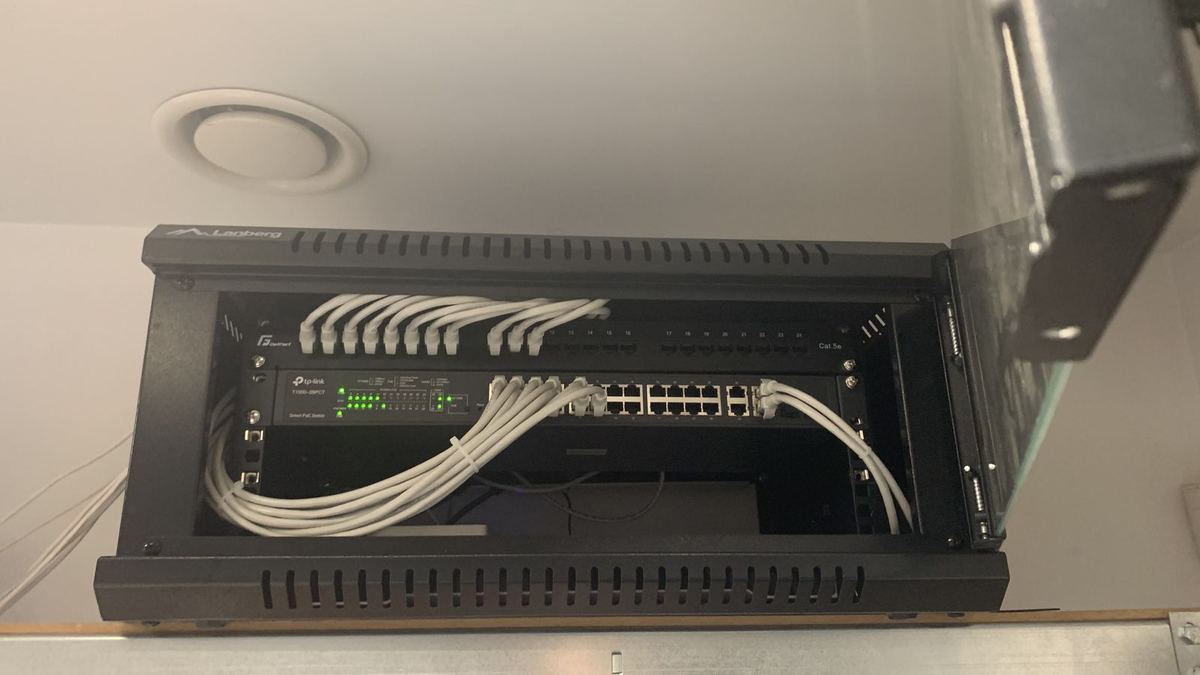
The basis is choosing a single place where all the cables meet. Most often this is a small rack cabinet or network enclosure in a utility room, boiler room, walk-in wardrobe or under the stairs. From there, cables are run in a star topology – each point has its own cable running directly to the cabinet. This makes diagnostics, expansion and any change of socket use easier.
Which cable to choose: Cat6 or Cat6A?
- Cat6 – the standard in most homes. It easily handles gigabit connections, and higher speeds over shorter runs.
- Cat6A – better shielded and designed for 10 Gb/s over the full length of the link. It is thicker and somewhat harder to install, but gives more headroom for the future, e.g. for Wi-Fi 7 access points with ports faster than 1 Gb/s.
Whatever the category, what matters is good-quality cable with copper conductors and accessories of the same class – sockets, modules and patch panel. Cable is not something you replace every few years, so it is not worth skimping on.
Where to run the cables? A checklist of points to consider
Rooms and workspaces
In every room that could serve as a study or a child’s bedroom, it is worth providing at least one double network socket. In a study, more are useful – computer, printer, docking station. It is better to have a socket you do not use than to run a cable along the skirting later.
TV area
By the TV spot, two or more network points work well: for the TV, games console, set-top box or soundbar. It is also worth thinking about an empty conduit between the TV cabinet and the place where the TV will be wall-mounted.
Ceiling Wi-Fi access points
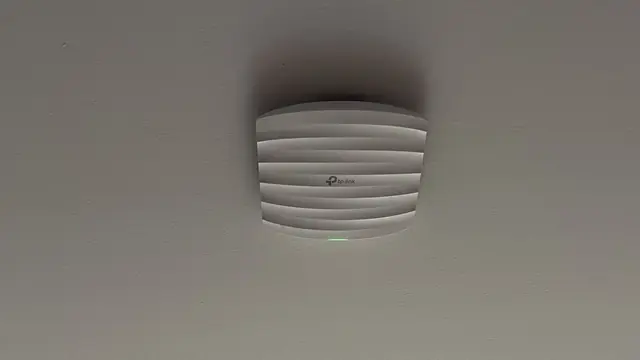
Cables to ceiling access points are one of the most important elements of the design. Usually at least one point per floor is planned, and more in larger houses. PoE means a single network cable is enough – no extra power socket by the ceiling.
CCTV cameras
IP cameras also use PoE, so a single cable is enough for each of them. Mounting points are best decided at the shell stage: building corners, driveway, main entrance, terrace, garage. That way there is no need to drill through insulated walls once the facade is finished. You can read more about the system itself in the description of our CCTV monitoring service.
Alarm and video intercom
An alarm system needs cables to motion detectors, magnetic contacts on windows and doors, sirens and keypads. Although wireless systems exist, a wired installation in a new house is usually cheaper to run and needs no battery changes. The same goes for the video intercom – the cable from the gate into the house is best laid in a flexible conduit before the fence and driveway are built. You will find details on our alarm systems and video intercoms pages.
Rack cabinet and patch panel – the heart of the installation
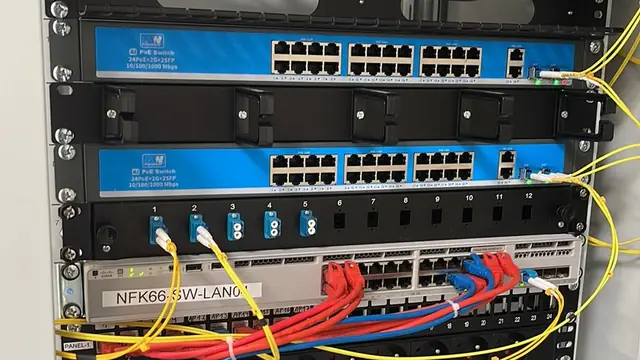
All cables should terminate at a patch panel in the rack cabinet. This is a tidy place to house the router, the switch (ideally with PoE), the camera recorder, the alarm control panel and the UPS. When planning the cabinet, pay attention to:
- sufficient depth and spare space for further devices,
- ventilation – network equipment and recorders give off heat,
- a separate electrical circuit and several power sockets,
- easy service access, without moving furniture,
- clear labelling of every port, which makes servicing much easier later.
Fibre entry and the ISP connection
More and more homes in the region have access to FTTH fibre. It is worth establishing in advance where the operator will bring the cable into the building, and preparing a protective duct from the plot boundary or outdoor box all the way to the network cabinet. That way the fibre terminal ends up where it should, rather than in a random spot in the hallway. If the connection is to be provided by radio or over a mobile network, it is a good idea to provide a cable to the loft or roof for an antenna.
Conduits for the future – the cheapest insurance
Not everything can be foreseen. That is why, alongside the cables, it is worth laying empty protective conduits between key locations: the rack cabinet and the loft, garage, TV area or garden. If needed, pulling a new cable will then take a quarter of an hour instead of a whole day of chasing walls. It is a small outlay at the construction stage that gives great flexibility for years.
Why now and not after finishing?
Laying cables in open walls and before screeds are poured is quick and clean. The same work in a finished house means chasing walls, repainting, surface trunking or dropping some of the points. On top of that come aesthetic limitations – cable run across a facade or ceiling rarely looks good. That is why we encourage you to discuss the cabling design with an installer before plastering starts, ideally alongside the electrician. At CSAFE we prepare such a plan, agreeing the points, cable routes and cabinet location together with the client, and then carry out the installation and its testing. We describe the scope of our work on our LAN installation page.
CSAFE operates in Bielsko-Biała and the surrounding area – including Żywiec, Kęty, Andrychów, Skoczów, Czechowice-Dziedzice, Pszczyna, Cieszyn and Oświęcim. If you are building a house, book us before plastering – we will plan the cabling for your network, CCTV, alarm and video intercom in one design. Quotes are free – call 505 298 048 or get in touch via the contact form.
Frequently asked questions
When is the best time to install network cabling in a new house?
Ideally at the shell stage, before plastering and screeds, alongside the electrical installation. The work is quickest then, and cables can be run exactly where they are needed.
Should I choose Cat6 or Cat6A cable?
Cat6 is entirely sufficient in most homes. Cat6A gives more headroom for the future, e.g. for faster Wi-Fi 7 access points, but it is thicker and harder to install.
Where should the rack cabinet go in a house?
In a dry, ventilated and easily accessible place, e.g. a utility room, walk-in wardrobe or under the stairs. It is important that it has its own power supply and spare room for expansion.
Why lay empty protective conduits?
Conduits let you pull new cables through in future without chasing walls. It is a small cost at the construction stage that gives great flexibility when expanding the installation.